
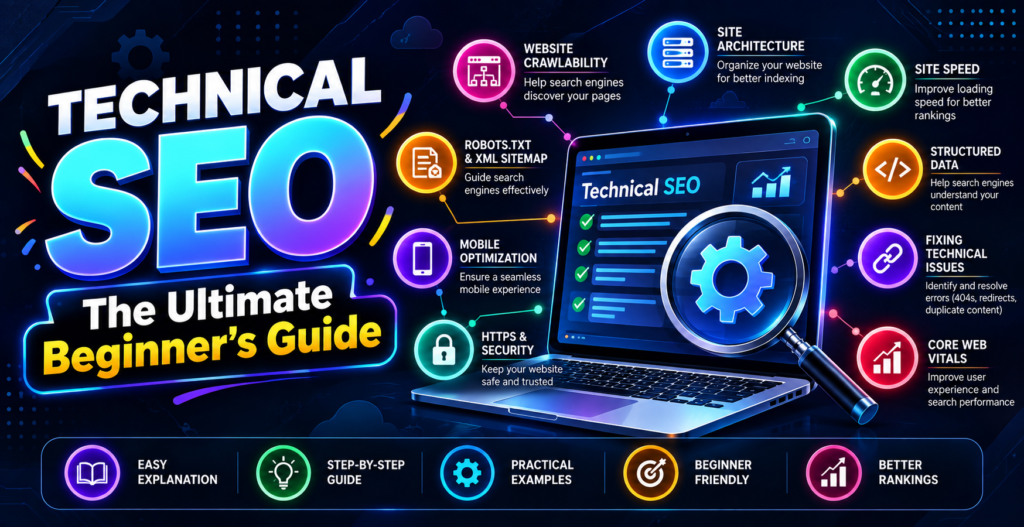
If you want your website to rank at the top of Google, understanding Technical SEO is essential for building a strong online foundation. Imagine your website as a physical house. On-Page SEO is like the interior paint and furniture, while Technical SEO is the foundation, plumbing, and electrical wiring hidden beneath the surface. If your foundation is weak, your house will fall apart no matter how nice the furniture looks inside.
In simple terms, Technical SEO refers to all the behind-the-scenes optimizations you perform to help search engines easily access, crawl, understand, and index your website without technical errors.
While creating high-quality articles attracts visitors, solid Technical SEO guarantees that search engine bots can actually read and display your content to users. Whether you manage a personal blog, an e-commerce store, or a service website, mastering Technical SEO gives you a massive advantage over competitors with broken or slow websites.
Why is Technical SEO Important for Beginners?
Focusing on Technical SEO ensures that your website provides a fast, secure, and hassle-free experience for search engine bots and real human visitors. Here is why prioritizing Technical SEO is crucial for growing your online presence:
- Helps Bots Discover Your Pages: Search engines send automated bots to discover new content. Proper Technical SEO provides a clear digital roadmap so crawlers do not get lost.
- Ensures Content Gets Indexed: If a search engine cannot process your web pages due to technical errors, your content will never show up in search results.
- Boosts Loading Speeds: Optimizing website code and media files keeps your pages running quickly, preventing frustrated users from leaving immediately.
- Improves Site Security: Implementing basic protection measures keeps user data safe and builds long-term trust with search engines.
The Core Elements of Technical SEO
Building a technically healthy website requires focusing on a few essential pillars. Here is a breakdown of the key factors that drive successful Technical SEO:
1. Website Speed and Performance
Slow websites frustrate visitors and hurt your rankings. Search engines prefer pages that load in under three seconds.
- Compress Image Sizes: Shrink large graphic files before uploading them to save storage space and speed up page rendering.
- Minimize Heavy Code: Clean up unnecessary scripts and styling code to keep page loading times light.
2. Mobile-Friendliness (Mobile-First Indexing)
Most web searches now happen on smartphones and mobile devices. Search engines evaluate the mobile version of your site first.
- Responsive Layouts: Design your website pages to automatically adjust cleanly to fit small smartphone screens.
- Touch-Friendly Buttons: Make sure links and buttons are large enough for users to tap easily on mobile displays.
3. HTTPS Security (SSL Certificates)
Security is a non-negotiable requirement for modern websites.
- Enable SSL Protection: Secure your web domain with an SSL certificate so your address starts with https:// instead of http://.
- Protect Visitor Data: Encrypted sites protect user personal info and receive a positive ranking signal from search engines.
4. XML Sitemaps
An XML sitemap acts as a clear directory map for search engines.
- List Key Pages: Include all important blog posts, category pages, and service landing pages in your sitemap file.
- Submit to Search Consoles: Share your sitemap URL directly with search engines so they can discover new content quickly.
5. Robots.txt Files
A robots.txt file acts as a simple instruction guide for web crawlers.
- Guide Search Bots: Tell automated spiders which sections of your site they should visit or ignore.
- Prevent Duplicate Crawling: Keep administrative or private login folders hidden from public search engines.
Technical SEO vs. On-Page SEO vs. Off-Page SEO
To see how everything connects, compare these three main pillars of search engine optimization:
| SEO Category | Primary Focus | Practical Example |
| Technical SEO | Enhancing site speed, mobile setup, and crawl efficiency | Installing SSL certificates, submitting sitemaps, and fixing broken links |
| On-Page SEO | Fine-tuning written content and HTML tags directly on your page | Writing clear headers, titles, and image alt text (Learn more in our guide on On-Page SEO strategies) |
| Off-Page SEO | Building authority and trust across external websites | Securing editorial mentions and external links (Discover more in our breakdown of social media marketing strategies) |
Simple Step-by-Step Technical SEO Checklist
Before launching a new website or publishing new pages, complete this basic Technical SEO checklist:
- Verify HTTPS Security: Is your website address displaying the secure padlock icon (https://)?
- Test Mobile Display: Does your layout look clean and function smoothly on smartphones?
- Check Loading Speed: Does your site load quickly on both desktop computers and mobile networks?
- Submit an XML Sitemap: Have you uploaded your site map file to Google Search Console? (To understand search engine basics, read our beginner guide on what is SEO and how it works).
- Fix Broken Links: Are all interior buttons and external links pointing to active pages without showing 404 errors?
- Check Robots.txt Setup: Are your important content pages open to search engine spiders without accidental blocking?
Top Free Technical SEO Tools for Beginners
You do not need expensive software to maintain a healthy website. Here are the top free tools to help you manage your site:
- Google Search Console: Identifies crawl errors, indexing issues, and security problems directly from Google.
- PageSpeed Insights: Analyzes your web page performance and offers simple suggestions to speed up loading times.
- Mobile-Friendly Test: Verifies whether your pages display and function correctly on smartphone devices.
Frequently Asked Questions (FAQs)
What is Technical SEO in simple terms?
Technical SEO is the process of fixing website infrastructure, speed, and mobile usability so search engines can easily crawl and index your pages.
Is Technical SEO difficult to learn without coding skills?
No, basic Technical SEO involves simple tasks like running speed tests, setting up SSL certificates, and uploading sitemaps using easy website plugins.
How does Technical SEO affect website rankings?
Good Technical SEO removes crawling barriers, ensuring search engines can discover, read, and list your content in search results without technical errors.
What is the difference between Technical SEO and On-Page SEO?
Technical SEO focuses on behind-the-scenes site infrastructure, while On-Page SEO deals directly with visible text, titles, and image content.